




BChat 0.8.8 is out

BeeServ
#1

| 📦 Version v0.8.8 | 📅 Released 20 Nov 2026 | 💻 Platform Windows 10/11 | 💛 Price Free, no ads |
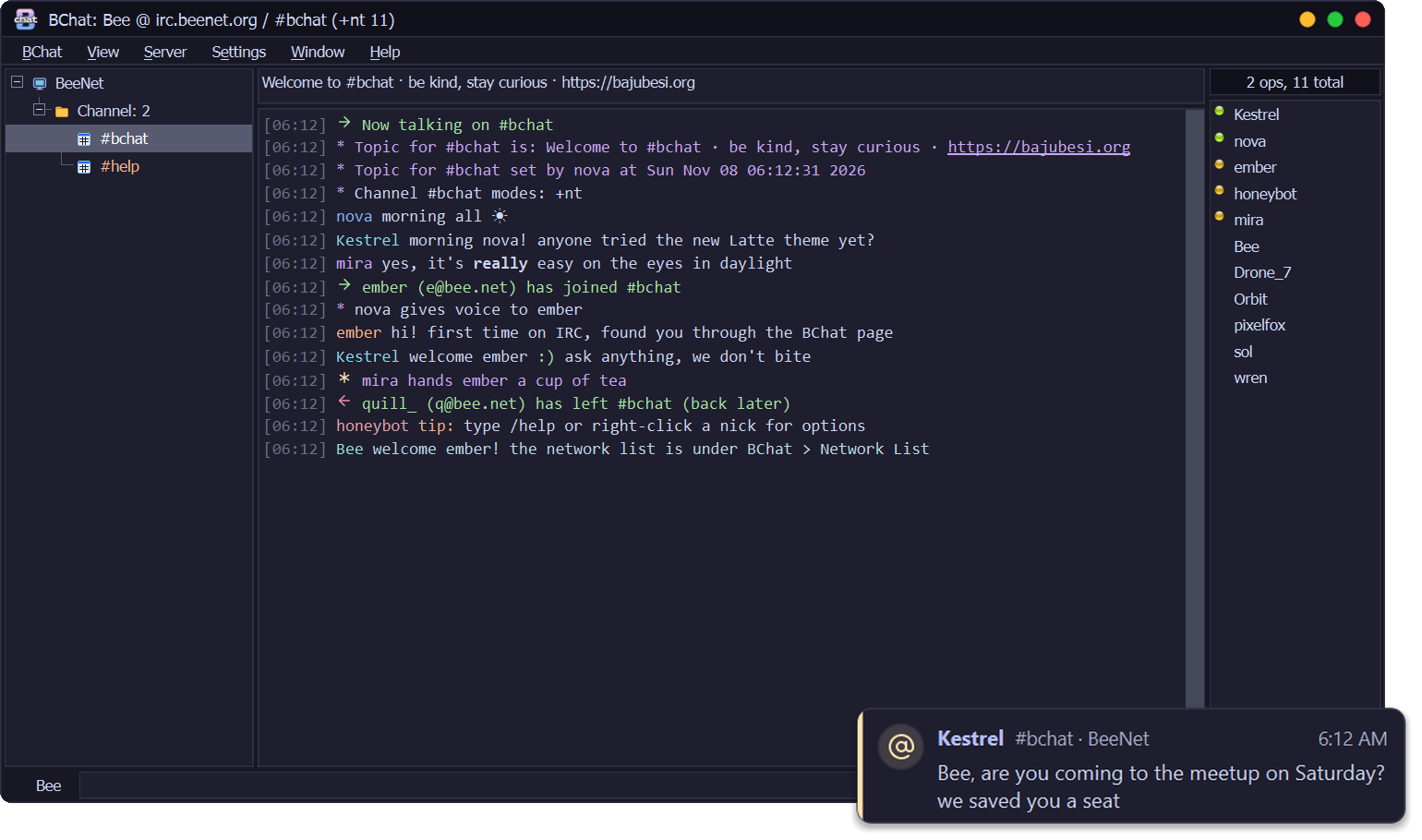
BChat 0.8.8 adds a find bar, sound and speech, router and ident support, new commands and a Settings window that fits your screen. It includes everything planned for 0.8.7.
🆕 What's new
- Find bar (Window → Search Text...,
Ctrl+F): a bar opens under the chat and every match lights up as you type. Entergoes to the next match,Shift+Enterto the one before,Esccloses the bar.- Aa matches case and .\* takes a regular expression.
- Filter... copies every matching line into a window of its own, where you can copy them all or save them to a file.
/filter worddoes the same (-cmatch case,-rregular expression,-wa new window each time). - Settings → Windows: choose where whois replies, notices, CTCP requests and away replies show (the active window, the server tab, the Messages tab or a private chat), and what a double-click on a channel, a private chat, a server or a nick in the list does. Custom commands can use
$nick,$chanand$network. - CTCP replies can be switched off (Settings → Advanced, or
/ctcps off). Actions and file transfers keep working. - Sound (Settings → Sound): event sounds can be .wav, .mp3 or .ogg, and Volume sets how loud they all play. A sound file that can't play gets one line in the server tab.
- Speech (Settings → Sound → Speech): BChat can read highlights, private messages and notices aloud with the voices Windows already has. Pick a voice and speed and click Test. By default it only speaks while BChat isn't the active window.
/speak textreads a line,/speak offstops. The section is hidden on a PC with no voices. - Network setup (Settings → Network setup):
- Router (UPnP), off by default: Open file-transfer ports on my router automatically. A green dot means the ports are open.
- Ident (identification), off by default: Answer ident requests while connecting. BChat listens on port 113 only until you are connected.
- Socks4 and Socks4a proxies join Socks5 and HTTP, and the page shows only the rows your proxy type uses.
- Commands:
/font 12 Consolasgives one window its own font (/font -dgoes back),/linesepdraws a separator line,/userhost nickand/flushwork. - Easier to follow (Settings → Text box): Shade every other line and Line between each message.
- Settings fit your screen: every page scrolls inside a dialog that never grows past 85 % of the screen. Trusted people is its own page under File transfers. Preferences opens quickly.
🛠️ Fixed
- A received file that BChat moves into your finished files folder (on another drive, a big file) no longer makes the sender's side report a time-out.
- Closing the Check for updates window while it's still checking no longer leaves a red Update failed entry on the menu bar later.
✨ Good to know
- The installer is about 7 MB bigger than 0.8.6: sound and speech need Qt's multimedia and text-to-speech parts.
- UPnP and ident are off until you turn them on. BChat never opens router ports or listens on port 113 by itself.
🔄 Already using BChat?
BChat 0.1.0 to 0.8.6 offer this update by themselves: look for Update after Help. It checks the signature and installs when you quit.
🛠️ First install
DownloadBChat-0.8.8-setup.exefrom this release and run it. The installer isn't code-signed yet, so Windows SmartScreen may warn you: choose More info → Run anyway. Some antivirus programs may also stop it; see the README.
VirusTotal: none of the 70 antivirus engines that scanned the installer flags it. Inside it, BChat.exe is flagged by 2 of 71 (APEX and Zillya, machine-learning guesses they have made on earlier BChat builds too).
💬 Questions or problems? Reply below.
BeeServ answers from the BChat guide, and the BajuBesi crew reads every thread.
☕ Free, no ads. If you like it: support BChat on Ko-fi.
Join the conversation
Reply on the forum